Desktop apps that work offline and feel native
When your team needs speed, printers, scanners and offline work, a desktop app beats the browser. We build installable Windows and macOS apps that sync with your cloud system and update themselves.
Everything you need, ready to tailor
Our desktop app starts with these proven features. We add, remove and adjust them to match how your team works.
Try CareDesk right now
A Windows & macOS desktop app for clinics: patient queue, prescriptions, billing and printing. Works offline. No sign-up, no sales call. Open it and click around.
Open the CareDesk demo ↗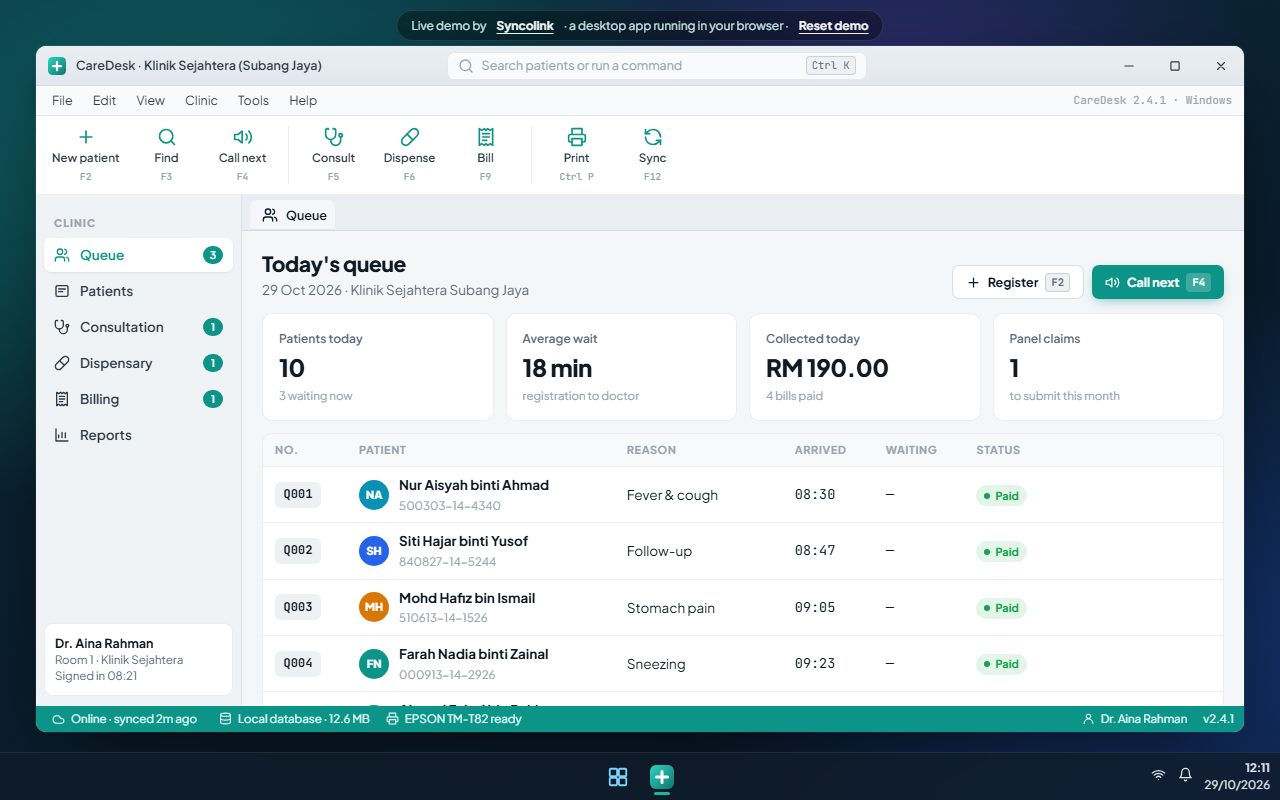
Made for Malaysian businesses
Companies across these industries use a tailored desktop app to cut manual work and grow without adding headcount.
Works with
Custom software, without the risk
We start from proven modules, so you pay for tailoring, not for reinventing the wheel.
Your workflows, approvals, reports, fields and branding. Change what you need.
Full system and source code are yours after the final payment. No per-user licences.
Malaysian team, RM pricing, bug-fix warranty and optional monthly care plans.
Desktop app questions
Will the app keep working without internet?
Yes. It keeps working offline, queues changes and syncs automatically when the connection is back.
Can it print receipts, labels and MC slips?
Yes. It prints directly to receipt, label and A4 printers, without the browser print dialog.
How are updates delivered?
Updates download in the background and install on the next start, so every PC stays on the latest version.
Connect it with the rest of your business
Ready for a desktop app that fits?
Tell us how your business works. We'll reply within one business day with ideas and a price range.